
Nutritional Reports & Summaries
Plan & Token Requirements
Feature available in the following LogMeal Plans:
Accessible by the following User Types:
What It Does
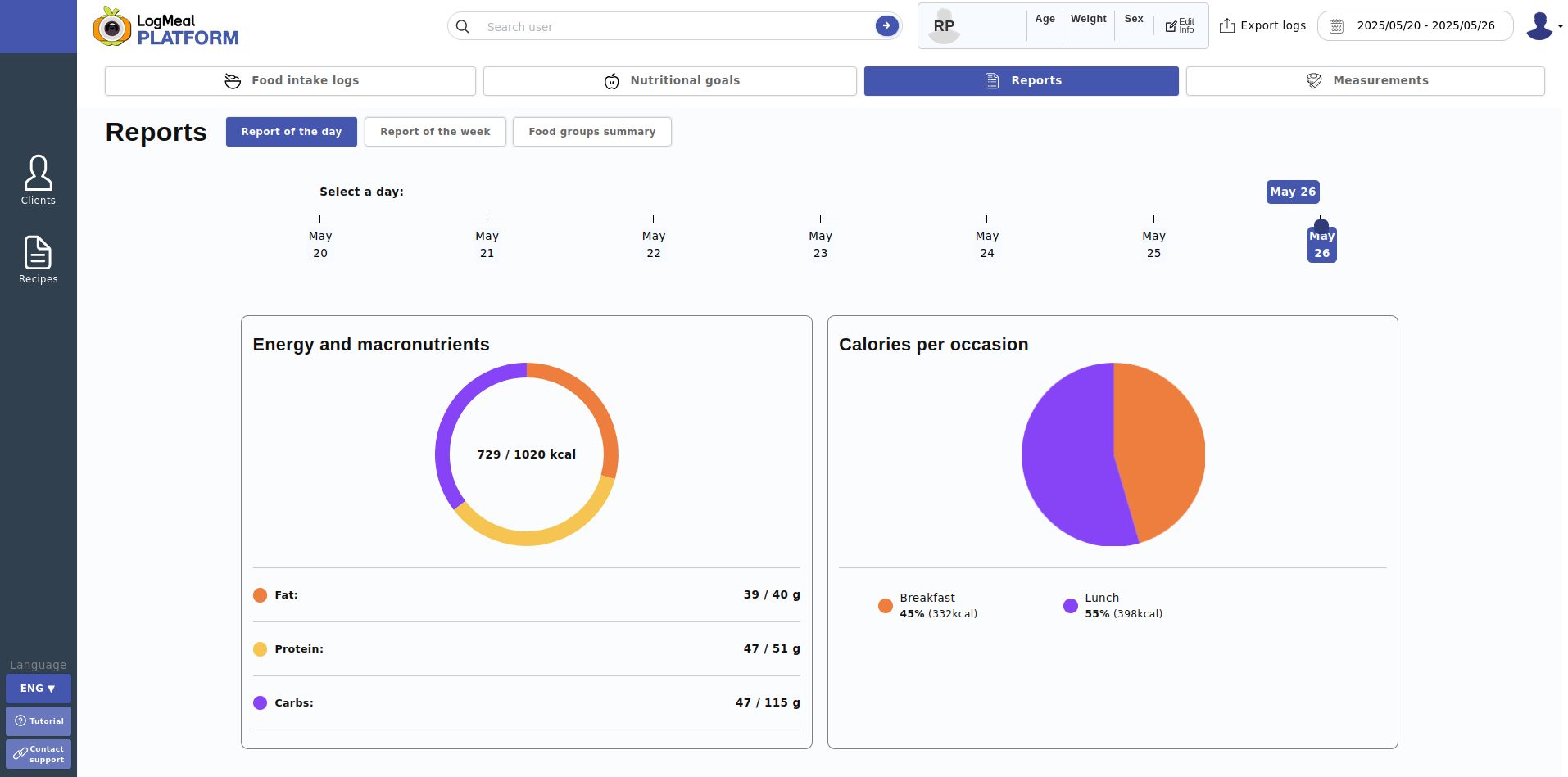
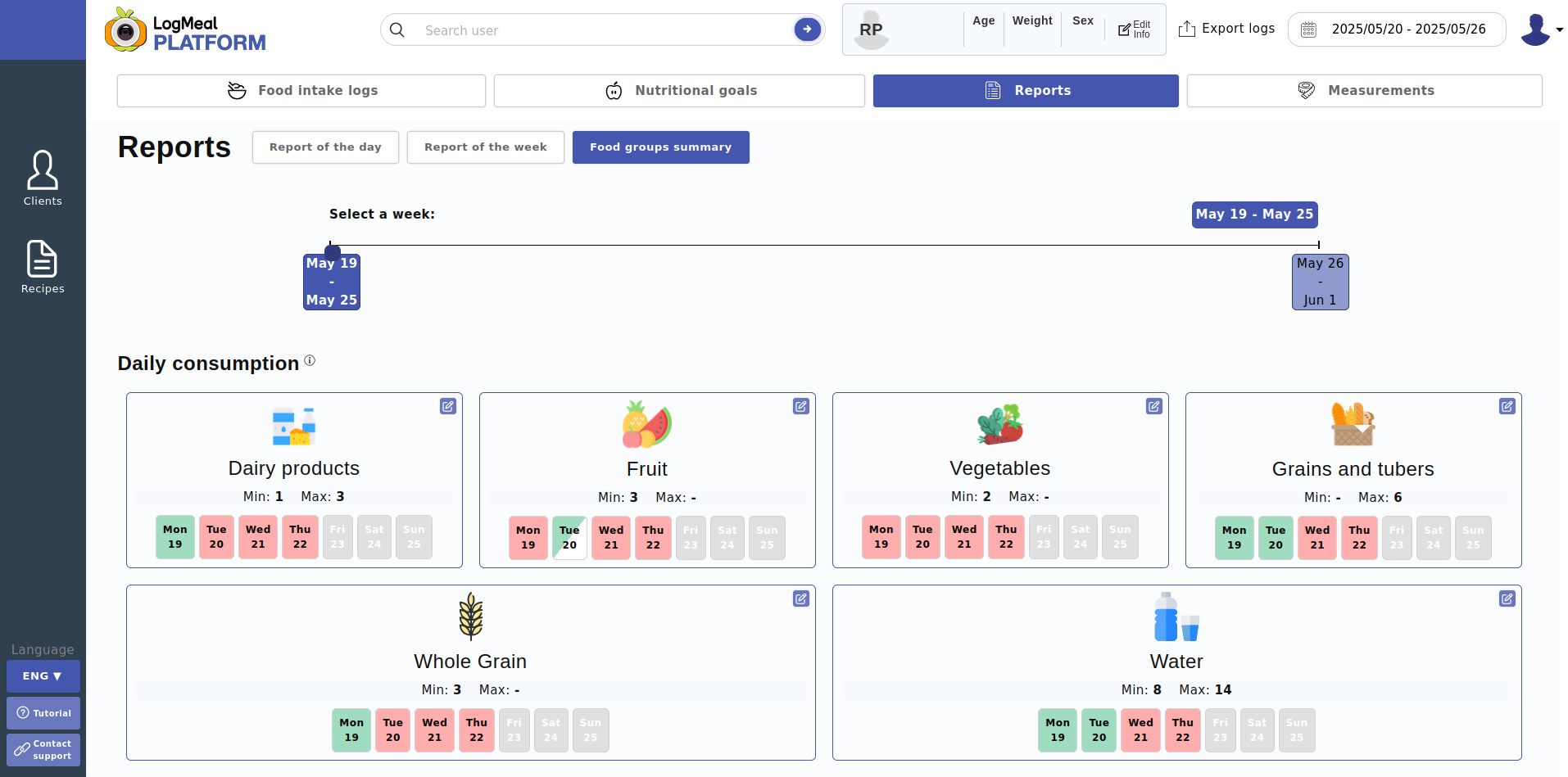
Nutritional Reports & Summaries aggregate a user's intakes to deliver day and week level summaries of energy and other nutrients and of food group consumption.
They are ideal for progress dashboards, coaching check‑ins, and compliance reporting against Daily Nutritional Goals or Recommended Daily Intake.
When to Use It / Outcomes
- You want daily/weekly totals to populate dashboards and PDF/CSV exports.
- You need trend views for coaching or user self‑tracking.
- You want to compare consumption vs goals/recommendations for compliance badges.
- Output: JSON with totals per nutrient or per food group for a day or week.
Feature-Specific Details
- Daily summary aggregates all intakes of a single date (
"%Y/%m/%d"). - Weekly summary aggregates seven days starting from
date("%Y/%m/%d"). - Per‑nutrient totals include energy (kcal), macros and, in higher plans, micronutrients available to your account.
- Per‑food group totals include daily and weekly consumption of the available food groups (meat, fish, vegetables, fruit, etc.).
- Localization: use
languageto localize dish/ingredient labels in list views. The user-specific language will be used default. - User scope: pass
user_idfor 🔵 APIUserManager / ⚫ APICompany; for 🔴 APIUser, it defaults to the token user. - Timezone: date boundaries respect the user timezone used by history services.
Related Endpoints
Use the following endpoints to obtain summaries and totals:
-
GET /history/getDailySummary → ⚫ 🔴 🔵 Daily nutrition summary for a given
date. -
GET /history/getWeeklySummary → ⚫ 🔴 🔵 Weekly nutrition summary starting at
date. -
Optional helpers:
- GET /history/getIntakesList → ⚫ 🔴 🔵 Detailed list of intakes within a period for drill‑down reports.
- GET /daily_nutritional_goal → ⚫ 🔴 🔵 Fetch goals to compute compliance deltas.
Typical Workflow
- Choose granularity (day or week) and target
date. - Request summary: call GET /history/getDailySummary or GET /history/getWeeklySummary.
- (Optional) Fetch goals via GET /daily_nutritional_goal to compute remaining/compliance metrics.
- Render reports: display totals and trends; enable CSV/PDF export as needed.
Nutrient report and %EC (energy contribution)
For weekly summaries, valid_days_count indicates how many days were included in weekly averages. Days below the minimum calorie threshold are excluded from weekly averages, weekly meal distribution and nutrient_report calculations. valid_dates lists the included dates.
Daily and weekly summaries include nutrient_report, an aggregated nutrient report indexed by nutrient code.
For energy-contributing nutrients, the report includes:
energy_kcalenergy_factor_kcal_per_genergy_contribution_percentage
For weekly summaries, quantities, energy_kcal and total_energy_kcal are returned as daily averages over valid_days_count, not over the full seven calendar days.
energy_contribution_percentage in nutrient_report is calculated using the configured energy_contribution_mode. The current mode uses the complementary macro denominator:
protein kcal + fat kcal + carbohydrate kcal + alcohol kcal
This guarantees that the complementary top-level components sum to 100%. Sub-components such as sugars or fatty acid types may also include %EC, but they are not independent complementary components and should not be added to their parent nutrient.
Older cached summaries may return nutrient_report: null if they were generated before this field existed.
Updated 5 months ago